Why Resolution and Screen Size Are Inseparable
When a phone or TV listing advertises "4K" or "Full HD," those labels describe only half the picture. Resolution — the raw count of pixels — means very different things depending on how large the screen actually is.
A 4K display stretches those 8.3 million pixels across a much larger area on a 65-inch television than on a 6-inch smartphone. On the TV, each pixel covers more physical space, so individual pixels can become visible if you sit close enough. On the phone, those same pixels are packed so tightly together that distinguishing them becomes physically impossible for most people.
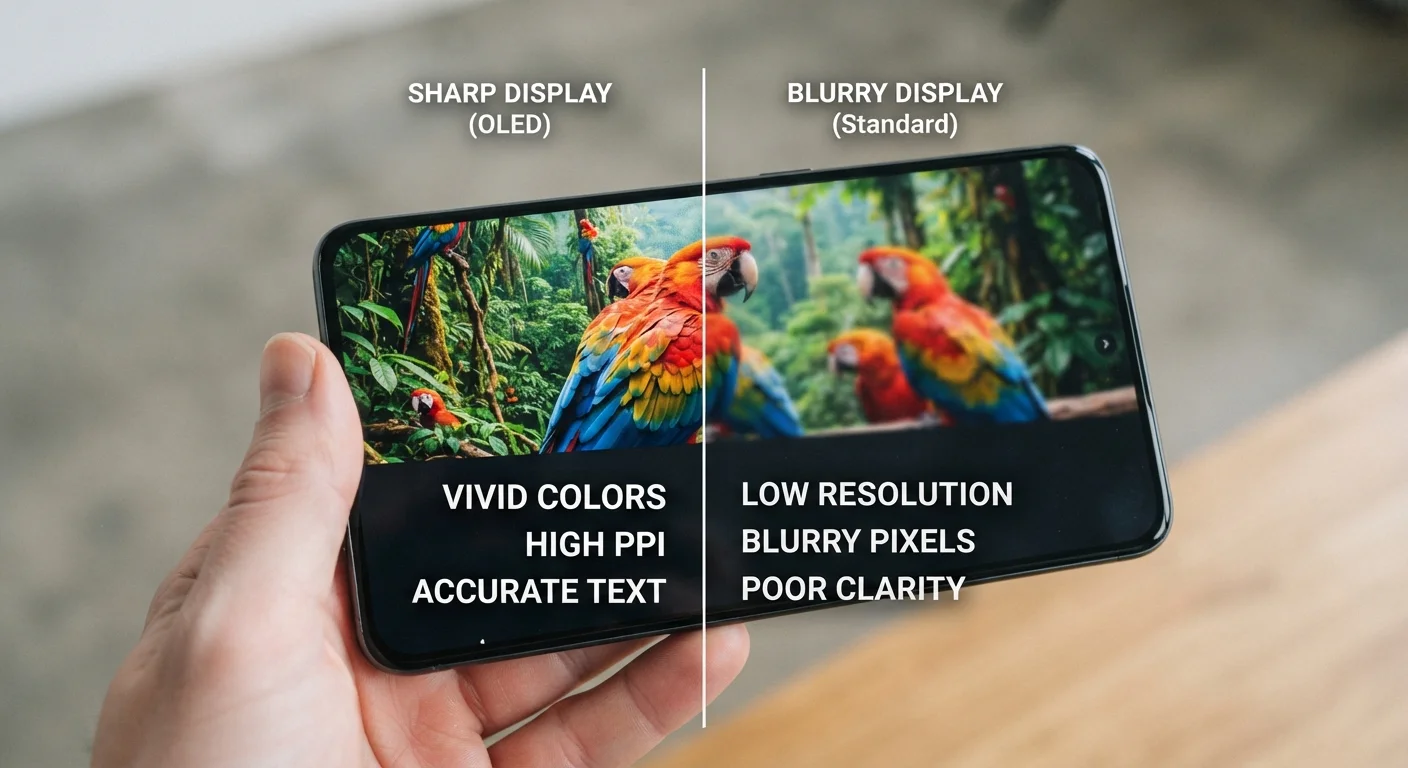
This is why pixels per inch (PPI) — the number of pixels crammed into each inch of screen — is the metric that actually predicts sharpness. As a general reference, research in vision science suggests that around 300 PPI at roughly 10–12 inches is near the upper limit of what most people can resolve. Many modern smartphones already exceed 400 PPI, which means further resolution increases produce no visible sharpness gain in everyday use.
For a deeper look at how resolution interacts with screen size on laptops and monitors, see how resolution and display size shape the way you work.
~300 PPI
Approximate human eye resolution limit at 12 inches
Vision science research broadly supports this threshold as the point beyond which most people cannot distinguish individual pixels at typical smartphone viewing distances.
8.3 million
Total pixels in a 4K (3840×2160) display
A 4K screen contains four times as many pixels as a 1080p Full HD screen, but whether that translates to visible sharpness depends entirely on screen size and viewing distance.
2–4×
Typical GPU load increase from 1080p to 4K rendering
Rendering four times as many pixels places proportionally greater demand on graphics hardware, which is reflected in increased power draw and heat output.
What Resolution Actually Does to Your Viewing Experience
Within the limits of human perception, higher resolution contributes to a cleaner, more detailed image — especially for text, fine lines, and detailed photography. On a device where you can perceive the difference, sharpness improvements make reading more comfortable and images more lifelike.
Beyond the perception threshold, however, the primary effect of higher resolution shifts from visual quality to battery consumption. Rendering 4K content requires significantly more graphics processing than 1080p, drawing more power from the battery. Some devices mitigate this by running the display at a lower resolution by default and only engaging full resolution for specific content.
Refresh rate — how many times per second the screen updates, measured in Hz — often has a more noticeable real-world impact than resolution on small screens. A 90Hz or 120Hz display feels noticeably smoother during scrolling and gaming compared to a 60Hz screen, regardless of resolution.
Check the PPI, Not Just the Resolution Label
When comparing two devices, look up or calculate their PPI rather than comparing resolution labels in isolation. Divide the diagonal pixel count by the screen's physical diagonal size in inches. This single number tells you far more about how sharp the display will look than 'HD' or '4K' labels alone.
Resolution is just one of many specifications that can look impressive on paper but deliver limited real-world benefit. Why a high spec sheet doesn't always mean a better experience explores this pattern across multiple device categories.
Resolution, Eye Strain, and What the Research Supports
A common concern is whether screen resolution affects eye health. The evidence here is more nuanced than marketing language often suggests. Resolution itself is not a leading cause of eye strain — also called CVS or digital eye strain.
The factors with the strongest evidence for contributing to eye discomfort include: prolonged viewing without breaks, excessive screen brightness relative to ambient lighting, and screen flicker at low refresh rates. A crisper, higher-resolution display can make text easier to read, potentially reducing the squinting and focusing effort that contributes to strain — but this benefit is most relevant when moving from a genuinely low-resolution display to a sufficient one, not when upgrading from 1080p to 4K on a small screen.
Eye Strain Has Multiple Contributing Factors
If you experience persistent eye discomfort from screen use, consider consulting an eye care professional. Display resolution is unlikely to be the primary cause — brightness levels, posture, lighting conditions, and uninterrupted viewing time are more commonly implicated. The 20-20-20 rule (every 20 minutes, look at something 20 feet away for 20 seconds) is a widely cited guideline for reducing digital eye fatigue.
Understanding where resolution fits within the broader set of display specs helps avoid over-paying for numbers that won't affect your daily experience. Our Smartphone Specs Decoded guide puts resolution in context alongside RAM, processor speed, and display brightness.
How to Apply This When Choosing a Device
Rather than chasing the highest resolution number, use PPI as your starting point and factor in how and where you'll use the device.
- Smartphones: Any display above roughly 300–350 PPI will appear sharp in normal use. Focus instead on color accuracy, brightness, and refresh rate.
- Tablets: Slightly more PPI variation is acceptable given wider viewing distances, but 200 PPI or above is generally comfortable for reading.
- Laptops: At arm's length, 1080p is functional on screens up to about 15 inches. A 1440p display offers a visible improvement in text clarity on larger panels.
- TVs: Viewing distance matters most here. At 8–10 feet, 4K resolution becomes appreciable on screens 55 inches and above. Closer viewing or smaller screens narrow the gap with 1080p.
For TV purchases specifically, the TV buying checklist walks through the full set of specs — including resolution, HDR support, and refresh rate — that deserve attention before you decide.