What Actually Separates These Two Configurations
Physically, a cellular tablet and a Wi-Fi-only tablet are nearly identical. The difference is an embedded SIM slot (or eSIM support) and a cellular radio antenna inside the cellular model. That hardware lets the device connect to a mobile data network — the same infrastructure your smartphone uses — without relying on a nearby Wi-Fi router.
Wi-Fi-only tablets can still connect to the internet almost anywhere through wireless networks, mobile hotspots, or home routers. They simply cannot independently access a carrier's cellular data network. For a fuller breakdown of tablet terminology, see our tablet terms glossary.
eSIM vs. Physical SIM: A Quick Distinction
Some cellular tablets use a traditional physical SIM card inserted into a tray, while others use an eSIM — a digital SIM embedded in the device that you activate through your carrier's app or website. eSIM offers more flexibility for switching carriers or adding temporary travel plans, but availability varies by carrier and region. Both approaches provide the same core cellular connectivity function.
The Case for Cellular: What You Actually Gain
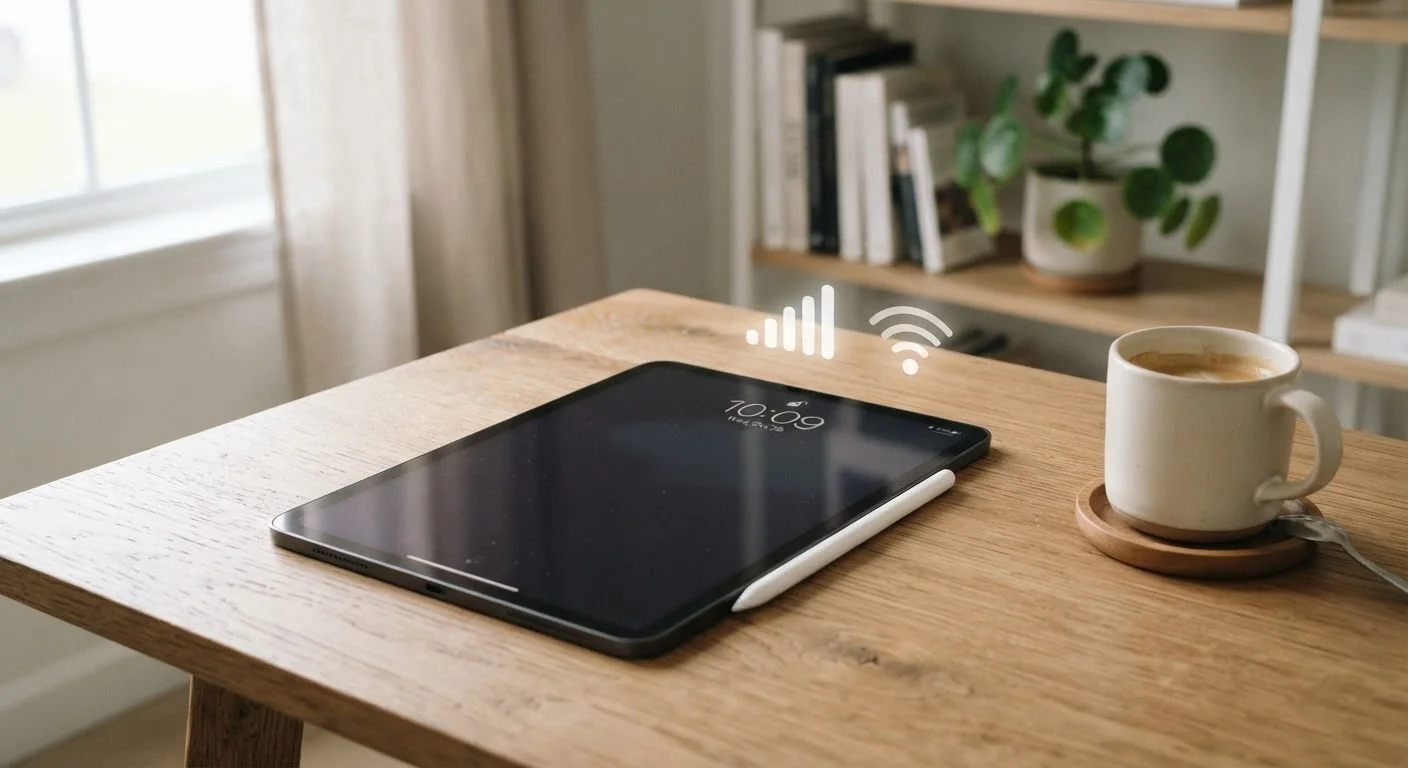
The core benefit of a cellular tablet is untethered connectivity. Open the tablet anywhere that has a carrier signal — a park, a train, a rural client site — and it connects automatically. There's no hunting for a password, no waiting for a hotspot to spin up, and no dependency on someone else's network.
Connects anywhere with carrier signal coverage
A cellular tablet doesn't require a nearby Wi-Fi router or hotspot — it connects independently through your carrier's data network, making it reliable in transit, rural areas, and locations with poor or no Wi-Fi.
No dependency on other devices for internet access
Unlike tethering through a smartphone hotspot, a cellular tablet manages its own connection, so your phone battery and signal strength aren't a factor.
Useful for mobile professionals and frequent travelers
For users who regularly work from trains, airports, job sites, or client locations, uninterrupted connectivity can directly affect productivity and reliability.
eSIM support allows flexible carrier switching
Many modern cellular tablets support eSIM, which lets you switch carriers or add a travel data plan digitally without needing a physical SIM card swap.
This matters most in specific scenarios: frequent travelers who work from airports or hotels with unreliable Wi-Fi, field professionals who need maps or documents in areas without signal, students who commute via public transit, and caregivers who need consistent video call access away from home. For those groups, the seamless connection often justifies the premium.
The Case for Wi-Fi Only: What You Give Up — and What You Save
Wi-Fi-only tablets carry a lower sticker price — typically $50–$150 less for the same model at the same storage tier, though exact pricing varies by manufacturer and retailer. Beyond the upfront savings, you avoid the ongoing cost of a cellular data plan. Carriers commonly offer tablet lines for $10–$30 per month when added to an existing smartphone account, but that cost compounds quickly: $20 per month is $240 per year.
Higher upfront purchase price
The same tablet in a cellular configuration typically costs $50–$150 more than its Wi-Fi-only counterpart, with the gap varying by manufacturer and storage tier.
Requires an ongoing monthly data plan
Most carriers charge $10–$30 per month to add a tablet line to an existing account, which translates to $120–$360 in additional annual spending.
Cellular radio adds slight weight and affects battery life
The additional antenna hardware contributes marginally to device weight, and active cellular use draws more power than Wi-Fi, which can reduce overall battery endurance.
Data caps and throttling may limit heavy use
Tablet data plans often carry lower data ceilings or are deprioritized under a carrier's traffic management policies, potentially slowing speeds during peak hours.
The main limitation is real but often overstated. Most Americans spend the majority of their screen time in environments with available Wi-Fi — home, work, coffee shops, libraries. If your tablet use is concentrated in those settings, the cellular radio you'd be paying for stays idle most of the time. For a broader look at how this decision fits into your overall device strategy, the end-to-end guide for everyday buyers covers the full picture.
The Hotspot Middle Ground — and Its Real Limits
Many readers assume a smartphone's personal hotspot makes the Wi-Fi-only vs. cellular debate irrelevant. It's a reasonable workaround but not a perfect one. Using your phone as a hotspot drains both the phone's battery and, depending on your carrier plan, may consume data at a faster rate or incur throttling after a threshold.
$240+
Typical annual cost of a tablet data plan
At $20/month — a common mid-range carrier rate for adding a tablet line — the recurring cost reaches $240 per year on top of the device premium.
~60%
Share of U.S. tablet use occurring at home
Industry research from firms tracking device usage consistently finds that a majority of tablet screen time takes place in the home, where Wi-Fi is typically available.
There's also a practical friction point: the hotspot must be enabled manually, the two devices must stay within Bluetooth or Wi-Fi range of each other, and if your phone loses signal, the tablet goes offline with it. For occasional gaps, a hotspot is a sensible bridge. For daily mobile use, it's a workaround, not a replacement. If you're still weighing your first tablet purchase and haven't settled on a configuration yet, this first-time buyer guide walks through the decision framework clearly.
How to Make the Right Call for Your Habits
Before deciding, answer these questions honestly about the past 30 days of your life: How many hours per week do you use a tablet away from a reliable Wi-Fi network? Do those sessions require real-time internet access, or are offline features sufficient? Could your smartphone reliably cover those gaps without inconvenience?
If your away-from-Wi-Fi usage is infrequent or lightweight, a Wi-Fi-only model is almost certainly the smarter financial choice. The money saved on the device and the monthly plan adds up — and those funds could go toward accessories, storage upgrades, or simply staying on a sensible budget. For practical ways to think through tech spending, everyday money tips offers useful framing.
If your work or lifestyle genuinely depends on consistent connectivity wherever you are, cellular pays for itself in reduced friction and reliability. The honest audit of your habits — not the appeal of having the more capable configuration — should drive the decision.