How a Smart Lock Actually Works
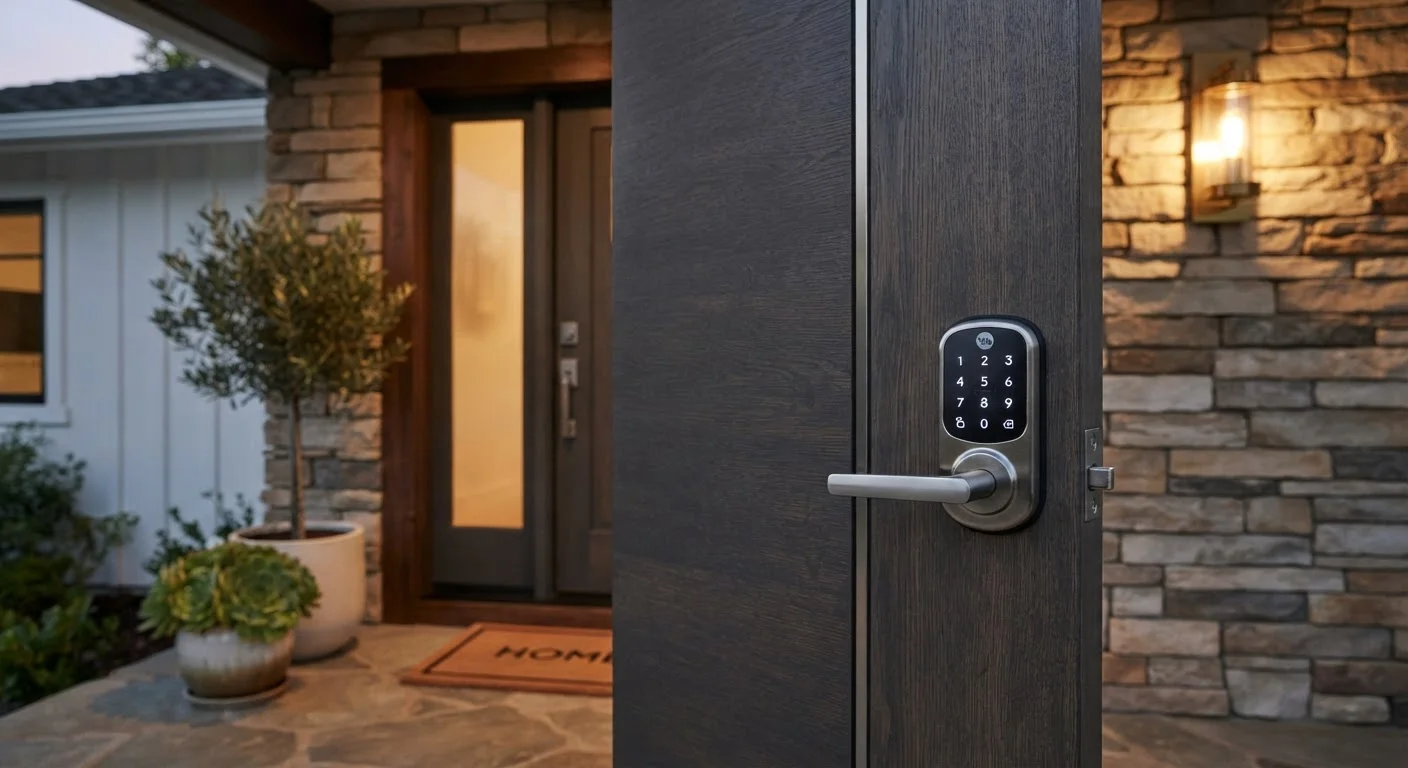
At its core, a smart lock replaces the mechanical turning of a physical key with an electronic signal. When you enter a PIN, tap a button in an app, or present an authorized credential, an internal motor engages the deadbolt — the same bolt you'd turn with a traditional key. The mechanism itself is familiar; what changes is how you tell it to move.
Most smart locks communicate via Bluetooth, Wi-Fi, or a hub-based wireless protocol like Z-Wave or Zigbee. Bluetooth works well for proximity unlocking — your phone detects the lock as you approach and can trigger it automatically. Wi-Fi and hub connections extend that control across any distance, letting you lock or unlock from anywhere with an internet connection.
For a broader look at how connected devices fit together in a home, see what smart home technology actually does.
Renter Considerations Before Installing
If you rent your home, check your lease before installing a smart lock. Some landlords require written approval for any door hardware changes, even if the modification is reversible. Look for adapter-style smart locks that mount over an existing deadbolt without replacing it — these are the easiest to remove without leaving a trace when you move out.
Day-to-Day Life With a Smart Lock
In daily use, a smart lock is mostly invisible — and that's the point. Common routines look like this: you walk out the door, tap a button in an app (or let auto-lock handle it), and the deadbolt engages. You come home, and either your phone unlocks the door as you approach or you punch in a four-to-eight digit code.
Where smart locks earn their keep is in the access log. Every unlock and lock event is timestamped and recorded, so you can see when your kids got home from school, confirm a delivery driver didn't linger, or check whether you locked up before bed — all from your phone. You can also create temporary codes for houseguests or service workers that expire automatically.
Installation fits most standard single-cylinder deadbolt cutouts. Many models replace only the interior portion of the existing lock, keeping the exterior keyhole hardware in place. A screwdriver is typically the only tool needed.
Set a Low-Battery Alert Right Away
When you first set up a smart lock, locate the low-battery notification setting in the app and make sure it's enabled. Most locks will alert you when battery level drops to around 20%, giving you time to replace them before the lock loses power. Pairing this with a reminder to check batteries every six months keeps you ahead of the issue.
The Real Trade-Offs to Know Before You Switch
Smart locks introduce dependencies that traditional locks don't have. The most practical one is battery life. Forgetting to replace batteries means a dead lock, though most models warn you well in advance through app notifications. Keeping a spare set of batteries nearby is a simple habit worth building.
Connectivity is the second trade-off. Remote access requires a working internet connection. If your router goes offline, you lose app control — though the keypad or Bluetooth range still works locally. Locks that depend on a separate smart home hub add another potential point of failure.
Software is the third consideration. Smart locks receive firmware updates that patch security vulnerabilities and add features. Staying current matters. Our article on keeping a smart home running reliably covers update habits and network hygiene in detail.
Finally, if you're building out a broader smart home setup, it's worth thinking about how your lock fits into the larger ecosystem. Planning a coherent smart home system from the start prevents compatibility headaches later.
~6–12 mo.
Typical smart lock battery life
Most manufacturers rate their locks for 6 to 12 months of normal use on standard alkaline batteries, though heavy usage or active wireless radios shorten this range.
100+
Unique access codes supported
Many mid-range smart locks support 100 or more individual PIN codes simultaneously, making them practical for rental properties or households with frequent visitors.
~30 min.
Average DIY installation time
Consumer reviews and manufacturer guidance consistently estimate that most smart lock installations take under 30 minutes using only a screwdriver, assuming a standard single-cylinder deadbolt is already in place.
Access Credentials: Codes, Apps, and More
Smart locks support several types of credentials, and most households use more than one:
- PIN codes: The most universally supported method. You create a 4–8 digit code and share it with household members. Many locks allow multiple unique codes — useful for tracking who comes and goes.
- Smartphone app: Unlocks via Bluetooth or Wi-Fi. Some models support auto-unlock when your phone is detected nearby, though this feature works best when tuned carefully to avoid false triggers.
- Key fob or card: A physical credential that works like a tap-to-pay card — convenient for children or anyone who doesn't carry a smartphone.
- Fingerprint scanner: Available on some models. Fast and hands-free, though performance can vary in cold or wet conditions.
- Physical key backup: Most models retain a traditional key cylinder for emergencies. This is a meaningful safety net worth preserving.
Guest codes can typically be set to expire after a defined number of uses or a specific date range — a practical feature when a repair technician or house-sitter needs temporary access.